
Your PC shuts down mid-game. No warning, no blue screen, just black. You reboot, it works fine for two days, then it happens again. Most people blame the GPU, the RAM, Windows. I did too, until I swapped out a $90 power supply and watched a three-month mystery vanish in about ten minutes.
The tricky part about signs your power supply unit is failing is that a dying PSU rarely announces itself. It whispers. It makes your machine stutter under load, corrupts a save file, throws a random reboot at 2 a.m., then behaves perfectly for a week. By the time it fails hard, it can take your motherboard and drives down with it. So the goal isn't to wait for a dramatic pop. It's to read the small clues early.
Here's what I've learned after building and repairing a few dozen systems, plus a mistake or two I'd rather not repeat.
Key Takeaways
- A failing PSU often shows up as random shutdowns under load, not an obvious death.
- Voltage drift beyond ±5% on the 12V, 5V, or 3.3V rails is a real warning sign.
- Burned smells, coil whine, and a stopped fan are near-certain red flags—stop using the unit.
- Software monitoring catches trends; a multimeter or PSU tester confirms them.
- Never open a PSU. The capacitors hold a lethal charge even unplugged.
- Most quality units last 5–10 years; cheap ones often die in 2–4.
Signs your power supply unit is failing (and what they actually mean)
Let's get specific. A PSU converts wall AC into the DC voltages your components need. When it degrades, the symptoms cluster around power delivery under stress. Here are the ones I see most often.
Random shutdowns under load
This is the classic. Your system runs fine for browsing, then dies the moment the GPU spins up in a game or a render. Why? Load spikes demand more current than a worn PSU can deliver, so protection circuits trip and cut power. If your crashes correlate with heavy tasks and not idle time, the PSU jumps to the top of the suspect list.
Unexplained reboots and blue screens
A reboot with no error message is different from a crash with a code. When the 12V rail dips for a fraction of a second, the CPU loses stable power and the board resets before it can log anything. I chased a "faulty RAM" diagnosis for two weeks on a client's build before admitting the memory was fine and the PSU wasn't.
Trouble starting from cold
You press power, nothing happens. Press again, it boots. This is often aging capacitors that need a moment to hold charge. A cold-boot hesitation that gets worse over months is one of the more reliable early tells.
Burned smells, odd noises, and a dead fan
An electronic burning smell means stop immediately. Coil whine that appears suddenly and loudly, or a fan that's stopped turning (or screams constantly), points to a unit on its way out. None of these are cosmetic issues. Deal with them today.
- Crashes only under load — power delivery problem
- Reboots with no log entry
- A faint burnt smell you keep telling yourself is "just dust"
- Fan noise that changed pitch or stopped
- Peripherals (USB drives, external HDDs) randomly disconnecting
Is the problem your PSU or your motherboard?
This is the question that eats the most time, and I get it constantly. The symptoms overlap, so you need to separate them methodically.
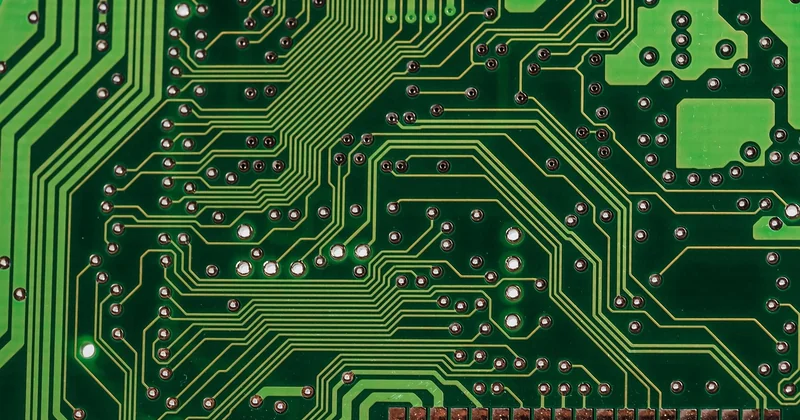
How to tell if the power supply is bad or the motherboard
Two tests cut through the noise. First, a PSU tester or a multimeter on the 24-pin connector gives you actual voltage readings. If the 12V rail sits well below 11.4V under load, the PSU is the problem. Second, swap in a known-good PSU and reproduce the crash. If it disappears, you've found your culprit.
Motherboard faults tend to be more consistent—dead USB ports, a board that won't POST at all, or bulging capacitors you can see. PSU faults are intermittent and load-dependent. That difference in behavior is the tell.
| Symptom | Likely PSU | Likely motherboard |
|---|---|---|
| Crashes only under heavy load | Yes | Unlikely |
| Won't POST at all, no fans | Possible | Possible |
| Voltage rails out of ±5% | Yes | No |
| Dead USB / SATA ports | No | Yes |
| Intermittent reboots, no log | Yes | Rare |
What is the average lifespan of a PSU?
It depends heavily on quality and heat. A well-made unit from a reputable brand typically runs 5 to 10 years in a reasonably ventilated case. Cheap no-name units often fail within 2 to 4 years, sometimes sooner if they've been pushed near their wattage limit the whole time.
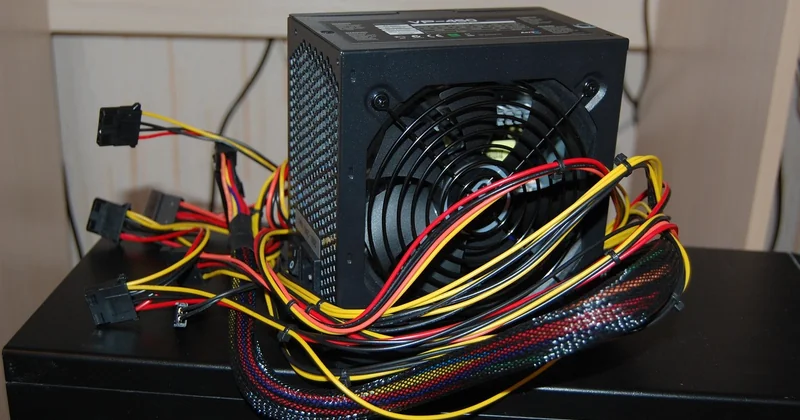
Two factors shorten life fast: running close to the maximum rated wattage, and high internal temperatures. If your PSU fan is fighting a dust-clogged case, expect the unit to age twice as quickly. I now over-provision wattage on every build I do—not for headroom, but for lifespan.
How common is it for a PSU to fail?
More common than people assume, especially in prebuilt and budget systems. In my own repair log, PSU faults account for roughly one in five hardware failures I've handled—behind only storage drives and RAM. The saving grace is that units from known brands with proper protection circuitry (over-voltage, over-current, short-circuit) fail far less often, and when they do, they usually fail safely rather than torching the rest of the build.
What happens when a PSU goes bad?
At best, your system becomes unreliable. Crashes, reboots, corrupted files, lost work. Annoying, but recoverable.
At worst, a failing unit sends out-of-spec voltage into your components. That can kill a motherboard, a GPU, or a set of drives in a single event. Real talk: the fear isn't the PSU dying—it's what it takes with it. This is why I never cheap out on the power supply, even on a tight budget. It's the one part that can destroy everything else.
How to fix a failing power supply
You don't repair a PSU. Opening one is genuinely dangerous—the capacitors hold a lethal charge long after the unit is unplugged. So the fix is replacement, and here's how I do it.
- Confirm the diagnosis with a tester or a spare known-good unit.
- Note your total system wattage and add 20–30% headroom.
- Buy from a brand with a real warranty and proper protection features.
- Power down, unplug, and hold the power button for a few seconds to drain residual charge.
- Photograph every cable before you disconnect anything. This saves you.
- Install the new unit, reconnect, and test under a full load.
- Monitor voltages for a week to confirm stability.
One more thing: if you're diagnosing a machine that's still under warranty, use the manufacturer's support channel before voiding anything.
Power supply failure causes
Dust is the silent killer. So is heat, cheap capacitors, and years of running at the edge of capacity. Power surges from the wall also do cumulative damage—a decent surge protector is worth more than most people think. In almost every failed unit I've opened, the story was the same: too much heat, too little airflow, and a component that was already marginal on day one.
Can a bad power supply damage your computer?
Yes. A failing PSU can output unstable voltages that damage the motherboard, GPU, and storage drives. This is the main reason to treat a suspected PSU as urgent rather than waiting for a total failure.
Should I keep using a PC with a suspected failing PSU?
No, not for anything important. Every hour you run it is a chance it takes other components with it. Back up your data first, then stop using the machine until the unit is replaced.
The machine that shut down mid-game? It ran on a replacement PSU for another four years without a single crash. The old unit looked fine from the outside. No scorch marks, no bulge. It simply gave up delivering clean power, quietly, the whole time. That's what makes this failure mode so easy to miss—and why the small signs are worth taking seriously before the big one arrives.


